Understanding operations mode and the default event
The short version
COBRA 5 is always in an event. All the time. There is no "empty" state where the tools are unavailable. When you're not working on something specific, you're in operations mode, working against your organization's default event. When you activate for a specific incident, planned event, or exercise, you enter a named event and the tools scope themselves to that event instead.
If you used COBRA 4, this is the biggest change you need to understand. Everything else flows from it.
Why it works this way
In COBRA 4, you had to create or enter an event before you could do most things: add a logbook entry, post to the map, open a status chart. That made sense when events were rare and big, but it created friction for day-to-day work. Routine communications and observations had nowhere to go unless someone declared an event.
COBRA 5 flips that. Every organization has a default event that's always running. All the tools are available at all times against that default event. When a specific incident happens, you create a named event and switch into it. When the incident is over, you switch back out. Nothing ever gates you from using a tool.
Operations mode
When you're in operations mode, the top bar shows Daily Operations (gray). The organization landing page displays your Recently Active Events list and a map of your organization's area of responsibility.
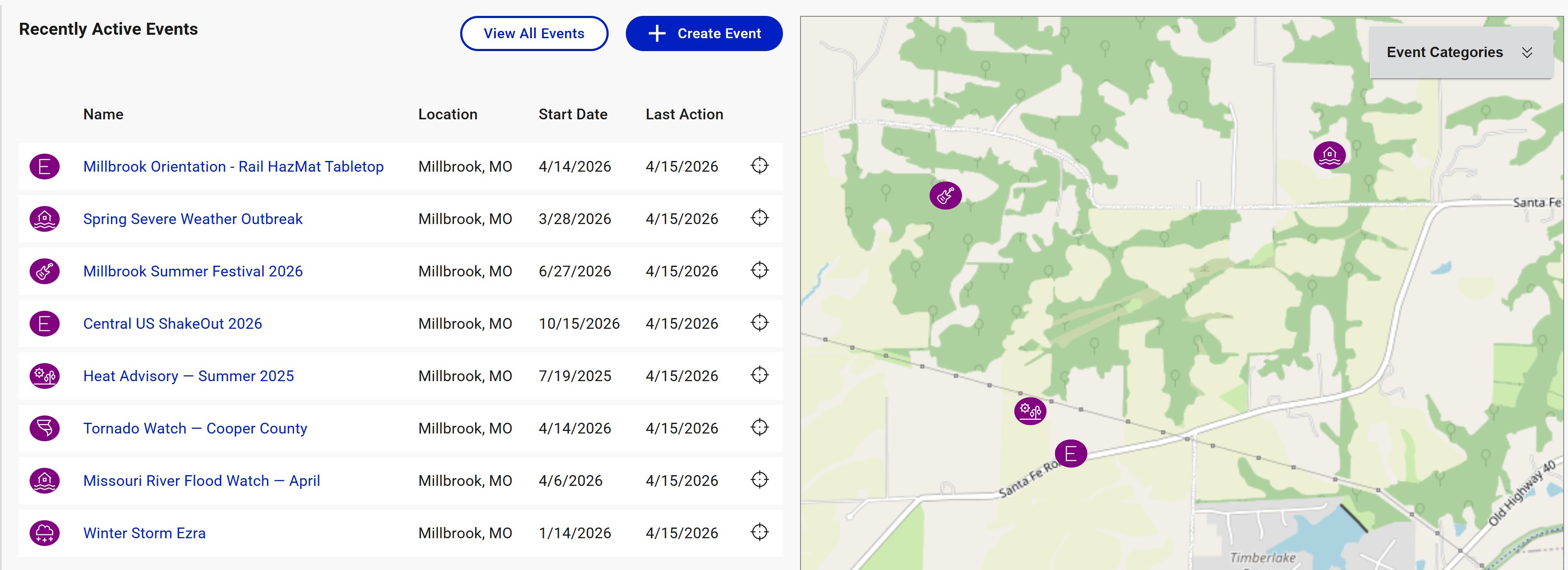
Anything you do in this state (chat messages, map annotations, logbook entries, status chart updates) is recorded against the default event. That record is permanent and part of your organization's operational history.
Think of operations mode as your unit logbook. It's where shift changes, routine observations, maintenance notes, and non-incident coordination live.
Named events
When a specific incident, planned event, or exercise happens, you create a named event for it. Named events have their own name, start and end dates, type and category, location, status, and scoped data.
When you enter a named event, the top bar changes to show the event name, and a colored status banner appears beneath it.
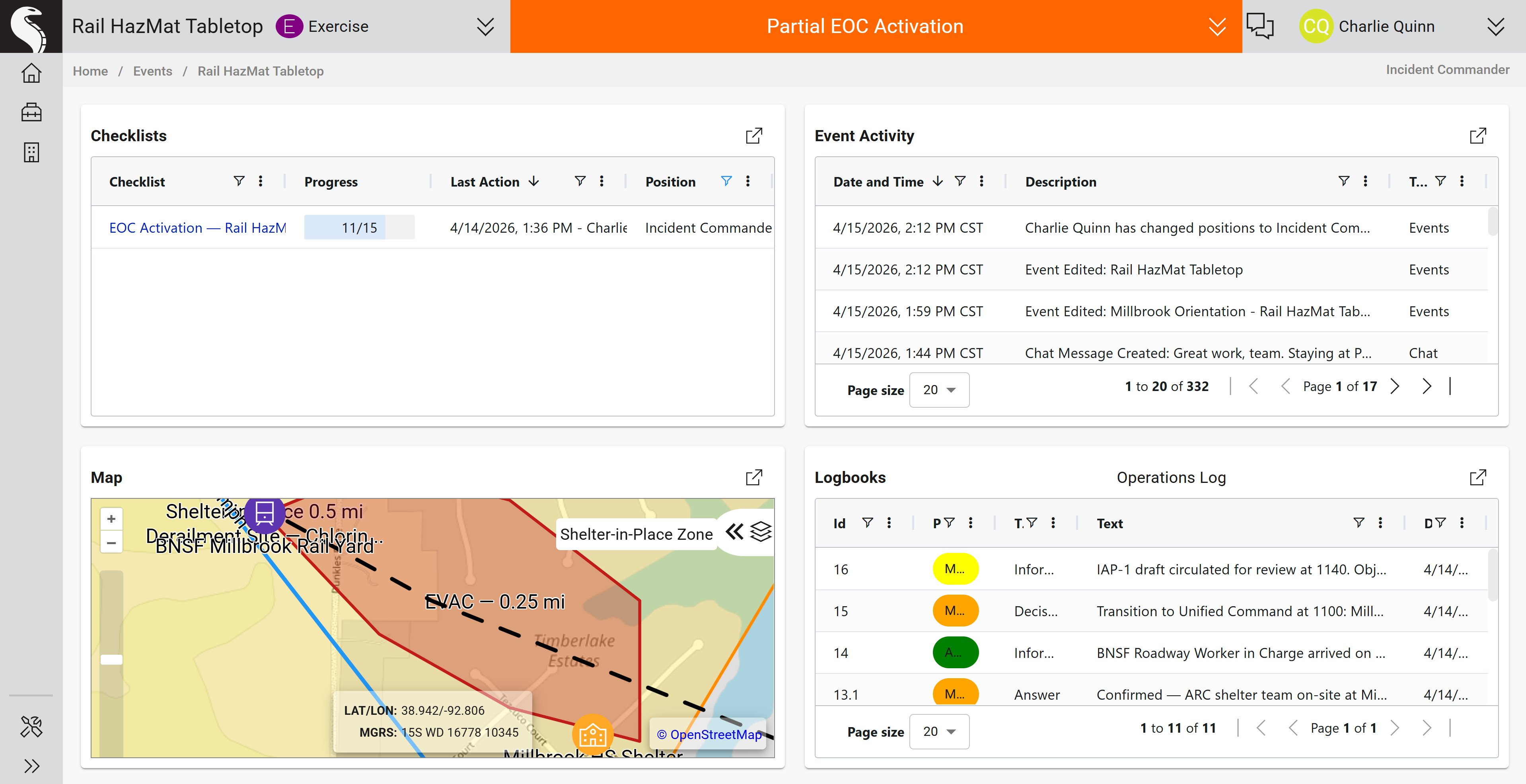
All the tools are still available, and they look identical, but the data they show is now scoped to this event. Logbook entries posted here go to this event. Status charts created here belong to this event. The map shows annotations and facilities added to this event.
How to tell which state you're in
Look at the top bar:
- Gray bar with "Daily Operations" → you're in operations mode, working against the default event
- Event name with a colored status banner → you're in a named event
If you're ever unsure whether a logbook entry is going to the right place, check the top bar first.
When to create a named event
Create a named event when:
- An incident is significant enough to warrant its own record (structure fire, flood, active threat, major outage)
- You're running a planned event that your organization wants tracked separately (festival, parade, sporting event)
- You're conducting an exercise (tabletop, functional, full-scale)
Don't create a named event for:
- Routine observations and reports. Those belong in the default event.
- Minor calls that will be resolved in minutes. The overhead isn't worth it.
- "Just in case." Wait until there's a real reason to create one.
Switching between events
You're only in one named event at a time. Entering a new named event automatically exits the previous one. Exiting a named event puts you back in operations mode.
Exiting does not end the event. The event stays active and other users can keep working in it. To actually close an event, set an end date on it or archive it.
Common confusions
"Where did my logbook entry go?" Check the top bar. If you meant to post to a specific event but you were in operations mode, the entry went to the default event. It's still there, just not where you expected.
"Why is the map empty?" Map contents are scoped to the current event. If you added annotations in a named event and then exited, the map will look different in operations mode.
"The default event has a weird name." Organizations name their default event whatever makes sense locally (for example, Danville Fire - Default Event). The name is cosmetic. It's still the default event, and it's still where operations-mode work lives.