Auto-translate your logbook entries
What you'll do
Enable automatic translation so that logbook entries you create are stored in multiple languages. Other users working in a different language will see your entries translated into their preferred language automatically. This is essential for multinational events where operators speak different languages.
Before you start
- Your organization has translation enabled (this is an admin configuration. If the Enable automatic translations toggle does not appear above the entry list, talk to your admin)
- You are in an event (named or default) with a logbook open in the tabbed view
Steps
-
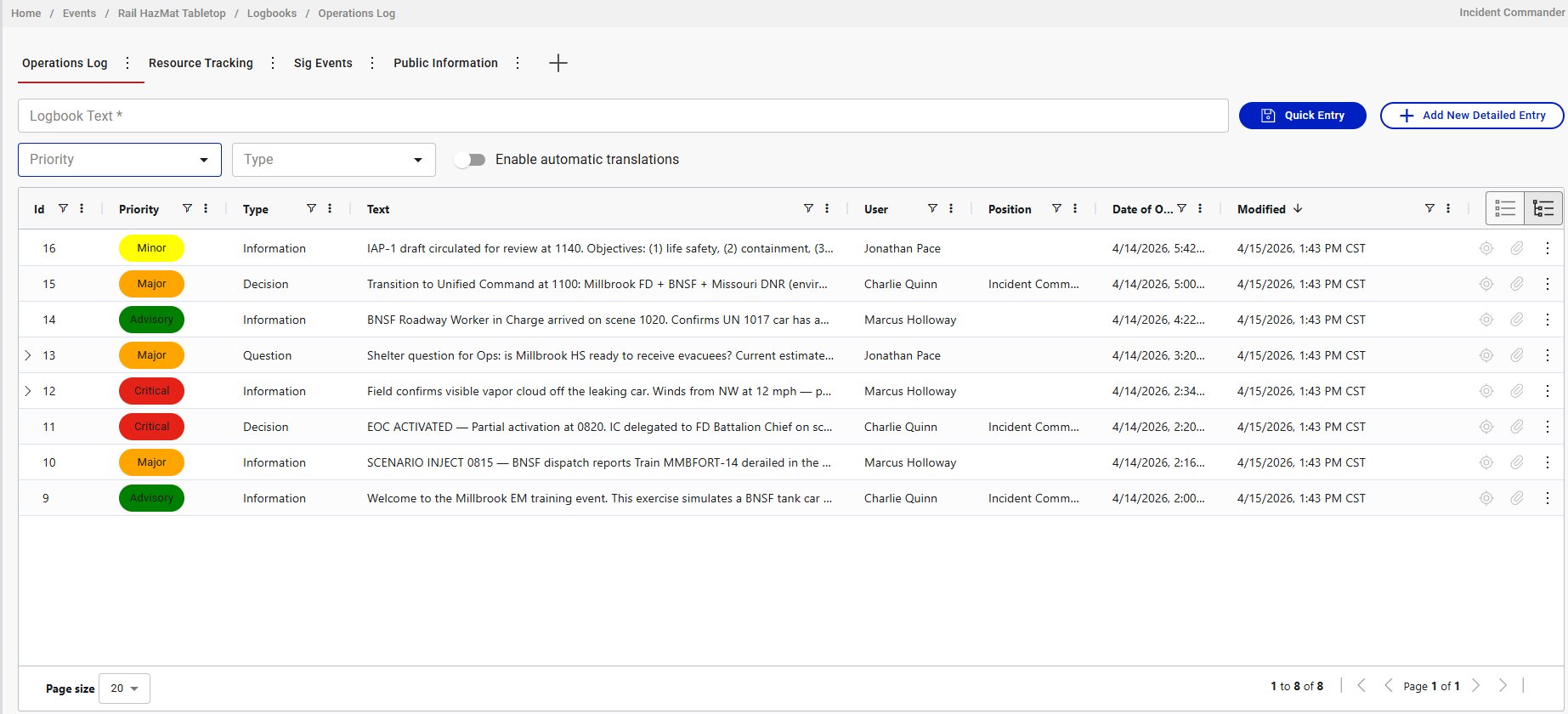
Find the Enable automatic translations toggle above the entry list, next to the Priority and Type dropdowns.
-
Click the toggle to turn it on.
-
Create entries as normal (quick entries or detailed entries). Each entry you post while the toggle is on gets automatically translated and stored in COBRA's supported languages alongside your original text.
Result
Your entries are saved with translations in all supported languages (English, Spanish, French, Arabic, German, Dutch, Romanian, Hungarian). Users whose browser or COBRA language preference is set to a different language will see the translated version of your entry. The original text is always preserved.
Tips
- The toggle resets every time you load the logbook. You need to re-enable it each session. Make this part of your start-of-shift routine for multinational events.
- Translation is an authoring action. The toggle must be on when you create the entry. There is no way to retroactively translate entries that were posted with the toggle off.
- Not all entries will be translated. If some operators forget to enable the toggle, their entries will only appear in the language they were written in. Viewers won't see a translation because none was stored.
- Establish it as a standing order. For multinational events, brief all operators to enable translation at the start of every session. This prevents the frustrating situation where half the logbook is translated and half isn't.
- Translation applies to quick entries and detailed entries equally. There's no difference in translation behavior between the two.